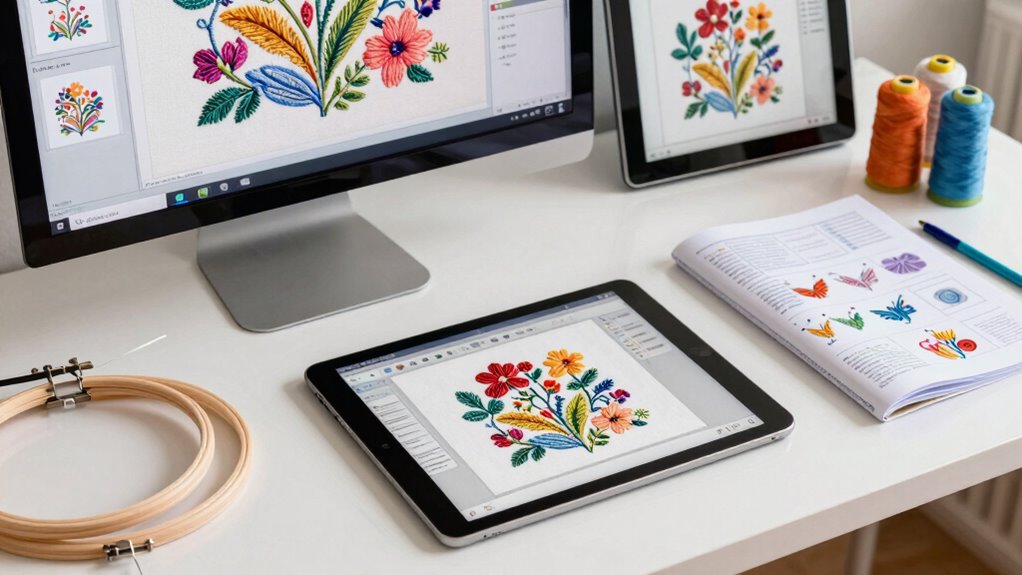

When choosing embroidery software bundles as a beginner, you should expect user-friendly interfaces with basic editing tools like resizing, rotating, and color changes. Look for auto-digitizing features to simplify design creation and compatibility with your embroidery machine. Good bundles include tutorials, customer support, and regular updates to keep your software current. Starting with a trial version helps guarantee it fits your needs. Keep exploring to discover how to make the most of your embroidery projects.
Key Takeaways
- Look for bundles that include basic editing tools like resizing, rotating, and color adjustments suitable for beginners.
- Ensure the software is compatible with your embroidery machine and offers regular updates for improved features.
- Choose packages with tutorials, videos, and customer support to facilitate learning and troubleshoot issues easily.
- Prioritize software with trial versions to test functionalities before committing to a purchase.
- Select bundles that support auto-digitizing and stitch simulation to preview designs and enhance your skills.
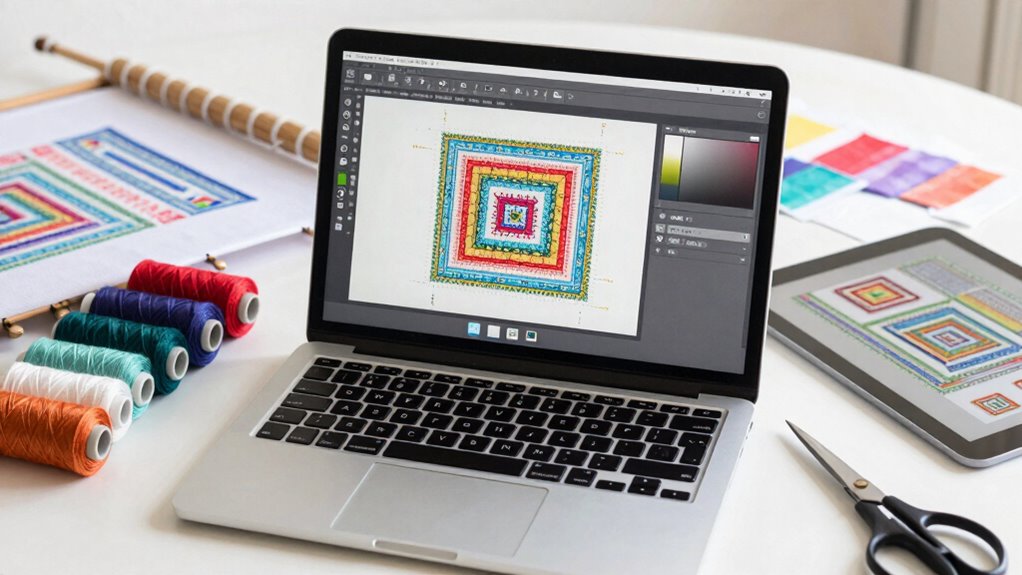
Software features are another important factor to consider. As a beginner, you might be overwhelmed by the variety of tools available, but focusing on essential features can help you get started confidently. Look for software that offers basic editing tools, such as resizing, rotating, and color changes, which are fundamental for customizing designs. Many bundles include features like auto-digitizing, which transforms images into embroidery files, and stitch simulation, allowing you to preview how your design will look when stitched out. User-friendly interfaces are especially beneficial at this stage, as they reduce the learning curve and make it easier for you to experiment with different designs. Advanced features, such as lettering options and multi-format support, can be valuable as your skills grow, but they might not be necessary right away. Additionally, software compatibility with your embroidery machine is crucial to ensure smooth operation and save you from potential frustrations. It’s also helpful to consider whether the software provides regular updates, which can improve functionality and fix bugs over time. These updates often include new features, which can enhance your creative options and keep your software current. Incorporating a trial version can be a useful way to evaluate the software’s capabilities before making a commitment. Moreover, checking for cloud storage options can enable easier access and backup of your designs across devices. Another aspect to consider is whether the bundle provides tutorials or customer support. As a beginner, having access to guides, videos, or tech support can make a significant difference in your learning process. Good bundles often come with resources that help you understand how to use the software effectively, making your embroidery projects more enjoyable and less frustrating. Keep in mind that some bundles might include trial versions of software, giving you a chance to test features and see how well they fit your needs before making a final investment. Overall, embroidery software bundles can be an excellent way to *embark on* embroidery, provided you carefully evaluate machine compatibility and the available software features to match your current skill level and future aspirations.

Brother PE900 Embroidery Machine Bundle – 5" x 7" Embroidery Field, Cuts Jump Stitches, Wireless LAN, Includes 4 Hoops, 20 Premium Threads, Stabilizer Sheets, 50,000+ Designs, Accessories & More
Includes Ultimate Embroidery Machine Starter Package Comes With Four Hoops, 5” x 12” Multi-Position Embroidery Hoop, 5” x…
As an affiliate, we earn on qualifying purchases.
As an affiliate, we earn on qualifying purchases.
Frequently Asked Questions
Are Embroidery Software Bundles Compatible With All Embroidery Machine Brands?
Embroidery software bundles aren’t compatible with all embroidery machine brands. You should check the software’s machine compatibility before buying, as some work only with specific brands or models. Software integration varies, so guarantee the bundle you choose seamlessly connects with your machine. If unsure, consult the manufacturer’s guidelines or customer support to confirm compatibility. This step helps avoid frustration and ensures smooth embroidery projects.
Do Bundles Include Customer Support or Tutorials?
Many embroidery software bundles include customer support and tutorial resources to help you get started confidently. While some offer extensive tutorials, others provide direct access to support teams for troubleshooting. Don’t let the fear of complexity hold you back; with these resources, you’ll quickly learn to navigate the software. Expect helpful guides and responsive support, making your embroidery journey smoother and more enjoyable from the first stitch to finished project.
Can I Upgrade Software Bundles Later?
Yes, you can upgrade software bundles later. Most embroidery software offers upgrade options to enhance features or update to newer versions, but you should verify software compatibility first. Before purchasing, review the upgrade policies, as some companies allow seamless upgrades, while others may require purchasing a new license. Keeping an eye on upgrade options ensures you stay current with the latest tools, improving your embroidery projects over time.
Are There Free Trial Versions Available for Bundles?
Did you know that over 60% of embroidery software companies offer free trials? Yes, many bundles provide free trial versions, allowing you to explore features before committing. These free trials give you a hands-on experience with bundle features, helping you decide if the software fits your needs. Take advantage of these offers to test the interface, tools, and capabilities, ensuring you make an informed choice when purchasing.
How Long Does It Take to Learn to Use a Bundle Effectively?
It typically takes a few weeks to a few months to learn to use an embroidery software bundle effectively, depending on your learning curve and dedication. You’ll develop skills gradually as you practice designing, editing, and troubleshooting. Consistent effort accelerates skill development, so set aside regular time to explore features and tutorials. With patience, you’ll gain confidence and become proficient, transforming your creative ideas into beautiful embroidery projects.

Brother SAEXPRESS – Stitch Express (Auto Digitizing Software)
Over 60 built-in line art designs and over 14 fill patterns
As an affiliate, we earn on qualifying purchases.
As an affiliate, we earn on qualifying purchases.
Conclusion
Embroidery software bundles are your toolkit for transforming simple stitches into vibrant art. Think of them as a garden—full of potential, waiting for your creativity to bloom. With the right bundle, you’ll cultivate skills and harvest stunning designs that reflect your unique style. Embrace the journey, and let these powerful tools be your guiding compass in the colorful landscape of embroidery. Your masterpiece is just a stitch away—ready to blossom into something extraordinary.

Embrilliance Essentials, Embroidery Software for Mac & PC
Compatible with current Windows and MacOS operating systems with free, downloadable updates and disk-free installers available.
As an affiliate, we earn on qualifying purchases.
As an affiliate, we earn on qualifying purchases.

Embrilliance Thumbnailer, Embroidery Software for Mac & PC
View designs in your Explorer (PC) or Finder (Mac)
As an affiliate, we earn on qualifying purchases.
As an affiliate, we earn on qualifying purchases.